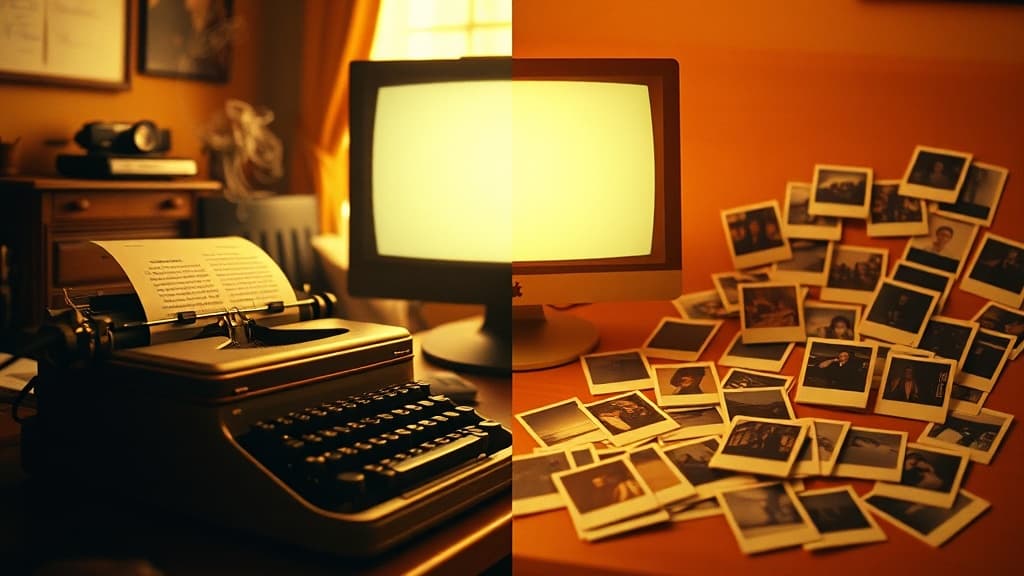
You have a creative vision. You want to turn it into AI video. But you're staring at two options:
- Text-to-Video (T2V) — Describe what you want, AI generates it
- Image-to-Video (I2V) — Start with an image, AI animates it
Which one should you use?
The answer isn't "one is better." Each workflow excels at different things. This guide breaks down exactly when to use each—with real examples and decision frameworks you can apply today.
Text-to-Video: The Creative Explorer
What it is: You write a prompt describing a scene, action, style, and mood. The AI interprets your words and generates video from scratch.
When T2V works best:
1. Exploration and ideation You're not sure exactly what you want. You need to see options. T2V lets you describe a concept loosely and get unexpected interpretations that spark new directions.
Example prompt: "A coffee cup on a rainy window sill, morning light, melancholy atmosphere"
You might get 5 completely different compositions, angles, and moods—each one a potential direction for your project.
2. Abstract concepts and emotions Hard to photograph. Difficult to draw. But easy to describe.
Example: "The feeling of nostalgia visualized as flowing particles of light, warm amber tones, gentle movement"
T2V excels at interpreting emotional and conceptual prompts that don't have clear visual references.
3. Speed and volume You need many variations quickly. T2V can generate 20 different scenes in the time it takes to create and refine 2-3 source images for I2V.
4. Situations you can't photograph Impossible physics. Fantasy environments. Historical scenes. Anything that doesn't exist to be photographed.
Example: "Medieval castle courtyard at sunset, knights training, dragon flying overhead in the distance"
T2V limitations:
- Consistency is hard — Same character appearing identically across scenes requires careful prompting or isn't always possible
- Fine control is limited — You describe, AI interprets—you can't place elements precisely
- Specific products/logos — AI struggles to reproduce exact brand elements
- Human faces — Results can vary significantly; morphing and distortion are common
Image-to-Video: The Precision Tool
What it is: You start with a still image—photographed, designed, or AI-generated—and the AI animates it into video.
When I2V works best:
1. Character consistency You need the same character to appear exactly the same across multiple shots. Generate the perfect character image once, then animate it multiple times.
Workflow:
- Create character in image generator (or photograph a person)
- Generate multiple poses/scenes of same character as images
- Animate each image into video clips
- Sequence clips together in Director Studio
2. Product shots You have an actual product. You photographed it. Now you want it to move, rotate, or appear in dynamic scenes.
Example: Product photography of a watch → I2V with prompt "watch rotating slowly, studio lighting, luxury commercial"
3. Style consistency You created a specific visual style that you want maintained exactly—color palette, texture, lighting. I2V preserves these better than T2V can replicate them.
4. Extending generated images You used an image generator to create the perfect still frame. Now you want that exact scene to come to life.
Workflow:
- Generate still image with Midjourney, DALL-E, or FLUX
- Refine until perfect (inpainting, outpainting if needed)
- Use I2V to animate the refined image
5. Compositing and VFX You need precise control over what moves and what stays still. I2V gives you that control by defining the starting point exactly.
I2V limitations:
- Requires good source material — Output quality is capped by input quality
- Less creative variation — You're animating what exists, not generating what might exist
- More steps — Image creation → refinement → animation is more process than pure T2V
- Motion can feel constrained — Heavy motion or complex camera moves can break the source image consistency
The Hybrid Approach: Best of Both
Professional creators rarely use just one approach. Here's how to combine them:
Workflow 1: T2V for concept, I2V for production
- Explore with T2V — Generate 10-20 variations to find the direction
- Identify winning frame — Screenshot or regenerate as still image
- Refine the image — Clean up in image editor
- Produce with I2V — Animate the refined, approved image
Use case: Music videos, brand campaigns, narrative shorts
Workflow 2: I2V for hero shots, T2V for B-roll
- Create hero images — Key moments that need perfect consistency
- Animate heroes with I2V — Main character, product, logo sequences
- Fill with T2V B-roll — Atmospheric shots, transitions, establishing shots
Use case: Commercials, product launches, trailers
Workflow 3: Character library approach
- Generate character sheet — Multiple poses/expressions as images
- Animate each pose — Create a library of character clips via I2V
- Sequence with T2V transitions — Use T2V for scene transitions and environmental shots
Use case: Animated content, explainers, recurring characters
Model Selection for Each Approach
Not all AI video models handle T2V and I2V equally. Here's what works:
Best for Text-to-Video:
| Model | Strength |
|---|---|
| Sora 2 | Narrative coherence, complex scenes |
| Veo 3.2 | Cinematic realism, lighting |
| Runway Gen-4 | Motion quality, physics |
| Kling 2.0 | Fast iteration, good baseline |
Best for Image-to-Video:
| Model | Strength |
|---|---|
| Veo 3.2 | Preserving image detail |
| Kling 2.0 | Natural motion, good with faces |
| Runway Gen-4 | Creative interpretations |
| Luma Dream Machine | Stylized animation |
On aiVideo.fm:
With 160+ models available, you can test both T2V and I2V approaches across multiple models simultaneously. Same concept, different approaches, side-by-side comparison.
Decision Framework: Which to Choose?
Ask these questions:
Do you need exact visual consistency?
- Yes → I2V (control the starting point)
- No → T2V (faster, more variation)
Do you have good source material?
- Yes → I2V (use what you have)
- No → T2V (generate from scratch)
Is this exploration or production?
- Exploration → T2V (volume and variety)
- Production → I2V (precision and consistency)
How important is speed?
- Very → T2V (fewer steps)
- Less → I2V (more control worth the time)
Is there a specific human character?
- Yes, recurring → I2V (consistency)
- No/one-off → T2V (faster)
Quick Reference: Use Case → Workflow
| Project Type | Recommended Approach |
|---|---|
| Music video | T2V exploration → I2V hero shots |
| Product commercial | I2V from product photography |
| Explainer video | I2V with character library |
| Social media content | T2V for speed |
| Brand campaign | Hybrid (I2V logo/product, T2V atmosphere) |
| Personal art | T2V for creative freedom |
| Client work | I2V for predictability and approval |
FAQ
Can I mix T2V and I2V clips in the same video?
Yes—this is the professional approach. Use each for what it does best, then sequence them together. Director Studio in aiVideo.fm is designed exactly for this: combining clips from different models and approaches into cohesive projects.
Which approach produces higher quality?
Neither inherently. Quality depends on the model used, the prompt/image quality, and the appropriateness of the approach for your specific content. I2V can produce higher consistency, while T2V can produce more creative variation.
I tried I2V and the motion looks weird. What's wrong?
Common issues:
- Source image too complex — Simplify the composition
- Requested motion too extreme — Start with subtle movements
- Wrong model for the style — Try a different I2V model
- Image resolution mismatch — Match input resolution to output resolution
Can I use a T2V result as the source for I2V?
Yes—this is the "T2V to I2V pipeline." Generate with T2V until you get a good frame, extract that frame, then use I2V to extend or refine the motion with more control.
Start testing both approaches
The fastest way to know which workflow works for your project is to try both. With aiVideo.fm, you can:
- Test T2V across 160+ models with the same prompt
- Test I2V with your reference images across multiple models
- Compare side-by-side to see which produces better results
- Sequence the best of both in Director Studio
No need to choose one approach forever. Use what works for each specific creative goal.
Start experimenting free — T2V and I2V, 160+ models, one interface.
Related guides: Beginner's Guide to AI Video Generation | How to Fix AI Video Artifacts | From Mood Board to Motion